
Give Claude a Personality: Custom Instructions Guide (2026)
Claude is one of the best AI models available. It reasons carefully, writes well, and handles nuance better than most. But out of the box, it doesn't know anything about you.
Ask it for advice on a career decision and it'll give you a balanced framework that applies to roughly everyone. Ask it to help you communicate with a difficult colleague and it'll hand you a five-step script built for a theoretical average person.
Claude Projects changes this — if you use it correctly. Here's how.
What Claude Projects actually are
Claude Projects is a feature in Claude that lets you create persistent workspaces with their own instructions, context, and memory. Think of a Project as a dedicated Claude environment tuned for a specific purpose or audience — in this case, you.
Unlike a regular Claude conversation that starts fresh every time, a Project carries forward:
- Custom instructions — a persistent brief that tells Claude who it's talking to and how to respond
- Uploaded files — documents, notes, or reference material Claude can draw from
- Conversation history — earlier exchanges within the project remain visible
The custom instructions field is the most powerful part. It's the difference between Claude-as-general-assistant and Claude-as-something-that-actually-knows-you.
Projects are available on Claude.ai with a Pro or Team subscription. Once set up, every conversation you start inside that Project inherits your instructions automatically.
How to set up a Claude Project with custom instructions
The setup takes about three minutes:
- Open Claude.ai and look for the Projects option in the left sidebar
- Click New Project and give it a name — something like "Personal Assistant" or just your name
- Once inside the Project, look for the Project Instructions section (sometimes labeled "Custom Instructions" or accessible via the project settings icon)
- Paste your instructions into the text field
- Save — the instructions now apply to every new conversation you start within this Project
A few mechanics worth knowing:
- There's a character limit — Claude Projects allows a substantial instruction block, but be focused. Prioritize what actually changes Claude's behavior; cut anything it would assume anyway.
- Instructions are static — they don't update automatically. Revisit them whenever your situation changes meaningfully.
- Conversations within the Project can see each other — Claude has access to prior exchanges, which compounds the value of good instructions over time.
- Files + instructions stack — if you upload a document (a resume, a business plan, a personal journal entry), Claude can cross-reference it with your instructions for richer context.
What to put in your Claude Project instructions
Good custom instructions have three layers: personality, communication style, and situational context. Most people only write the third layer — and wonder why Claude still sounds generic.
Personality and thinking style
This is the highest-leverage content and the most commonly skipped. How do you process information? What's your default cognitive mode? What breaks down under stress?
## Personality & Thinking Style
- I'm a big-picture thinker. Lead with concepts before steps;
  I lose the thread when I get details without the framework first.
- I'm intuitive, not analytical — I use data to pressure-test,
  not to decide. Don't over-source when a direct read is enough.
- Under stress I tend to avoid rather than confront. Flag it if
  you notice avoidance creeping into my reasoning.
- I have a pattern of overweighting novelty. If I seem drawn to
  something mainly because it's new, call it out.
Communication preferences
How direct do you want Claude to be? What response format works for your brain? What makes advice land vs. bounce off?
## Communication Preferences
- Blunt is better. Over-hedged answers feel condescending.
- Lead with the answer. Background and caveats after, not before.
- Short by default. Go deep only when the question requires it.
- No motivational padding — skip "great question!" and "that's
  a really important point."
- Bullets for lists. Prose for analysis. Not everything is a list.
- Don't summarize at the end. I just read what you wrote.
Situational context
The minimum background Claude needs to give relevant advice. Don't write your life story — write what actually changes the answer.
## Context
- [Role and field — e.g., "Freelance designer, 6 years in branding"]
- [Current priorities — e.g., "Growing my client base; taking on
  fewer projects but charging more"]
- [Real constraints — e.g., "Single parent, 20 usable hours/week"]
- [What's already failed — e.g., "Rigid systems never stick for me.
  Don't recommend daily routines."]
The last item — what has already failed — is one of the most valuable things you can include. It stops Claude from recycling the same advice you've already tried.
The problem with writing your own instructions
Here's where most people get stuck: they sit down to write their Project instructions and either go blank or write something so generic it barely helps.
This isn't a writing problem. It's a self-knowledge problem.
You've spent your entire life inside your own perspective, which paradoxically makes you one of the least reliable narrators of your own patterns. You highlight your aspirational self, not the version that shows up under pressure. You forget about the failed systems. You call yourself "detail-oriented" because you care about quality, even though you actually start with big-picture thinking and fill in details later.
The result is custom instructions that are technically accurate but not very useful:
- Too surface-level. "I like clear communication and prefer concise answers." So does 80% of people who write custom instructions.
- Too aspirational. "I research thoroughly before making decisions." Is that actually true, or is that the person you're trying to become?
- Missing the actionable nuance. "I'm introverted" is less useful than "I'm introverted but I perform well in high-stakes conversations when I have context in advance — I just need to prepare."
- Blind spots stay blind. You don't know which patterns you're missing. That's the whole definition of a blind spot.
Instructions you write from scratch tend to describe a polished self-portrait rather than an accurate map. And maps are what Claude actually needs.
A better approach: use an InnerForge coach package
Rather than guessing at your own personality, you can measure it.
InnerForge's coach packages are built on validated personality science — the same frameworks used in research and organizational psychology. You pick a coach, complete a short scenario-based checkpoint that maps your actual traits across dimensions like openness, conscientiousness, extraversion, agreeableness, and emotional stability. Not your ideal self. Not your self-concept. Your real patterns, as measured by how you respond.
The platform then renders two artifacts sized for Claude Projects:
- Coach instructions — a project-instructions prompt tuned to your profile, carrying your coach's voice and your communication preferences
- Personality file — a structured knowledge file with your scores, behavioral patterns, and blind spots that Claude reads as background context before every reply
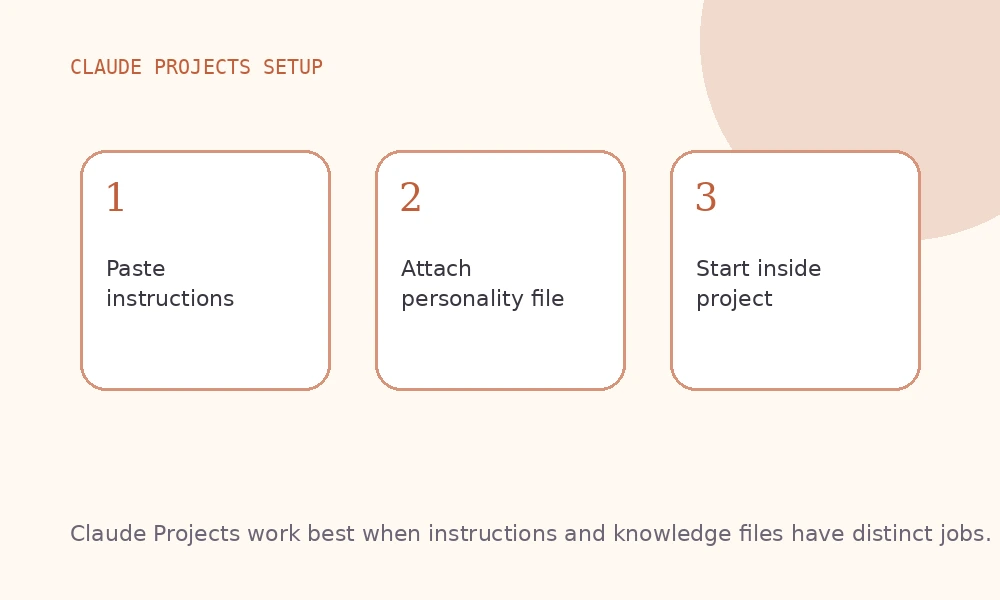
Paste the instructions into your Project's instructions field. Upload the personality file under the project's knowledge section. That's the whole setup.
The difference between hand-written instructions and a coach package is the same as the difference between telling a doctor you're healthy and handing them your actual test results. One is a story. The other is data.
Before and after: what personalized Claude looks like
The prompt: "I keep getting deep into projects and then abandoning them right before they're done. How do I fix this?"
Without custom instructions:
This is a common challenge. Here are some strategies to help you follow through:
- Break the project into smaller milestones with clear deadlines
- Find an accountability partner to check in with regularly
- Reconnect with your "why" when motivation drops
- Eliminate distractions during focused work blocks
- Celebrate small wins to maintain momentum
Polite. Inoffensive. Applicable to no one in particular.
With a coach package loaded (high openness, moderate-low conscientiousness, autonomy-driven, pattern of perfectionism near completion):
The abandonment-near-finish pattern is often perfectionism in disguise, not a motivation problem. The project is close enough to done that its flaws are now visible and real, which makes shipping feel like endorsing something imperfect. Starting the next thing resets that clock.
Discipline-based solutions — deadlines, accountability partners — tend to miss this because they treat it as a follow-through issue when it's actually a self-judgment issue. What tends to work better: define "done" with a written scope at the start, before you can see the flaws. Give yourself explicit permission to ship at 85%. And ask honestly: is this project actually unfinished, or are you protecting yourself from the judgment that comes with releasing it?
Same question. Completely different answer — because Claude knows who it's talking to.
Claude Projects vs. ChatGPT Custom Instructions vs. Gemini Gems
All three major platforms offer ways to persist instructions, but they work differently. Here's a quick comparison.
Claude Projects The most flexible of the three. Projects combine custom instructions with file uploads and persistent conversation history, making them well-suited for ongoing work with shared context. The instructions field is generous; you can include substantial personality context without hitting limits quickly. Claude tends to be particularly attentive to tone and reasoning style adjustments.
ChatGPT Custom Instructions Simpler setup — two fields (who you are, how you want responses) that apply globally to all new conversations. No file upload integration at the instruction level, and no per-project segmentation unless you use the GPT builder. Better for users who want one universal set of instructions without managing multiple environments. Character limits are tighter than Claude's.
Gemini Gems Google's equivalent of Claude Projects. Gems let you create instruction-defined personas with uploaded documents. The personalization depth is comparable to Claude Projects, and the integration with Google Workspace (Docs, Gmail, Drive) makes Gems particularly valuable for professional and productivity use cases.
Which should you use?
Use Claude Projects if Claude is your primary AI and you want the best combination of instruction depth, file context, and conversation memory. Use ChatGPT Custom Instructions if you want a simple, global setup that applies everywhere without managing separate environments. Use Gemini Gems if you're already embedded in Google Workspace.
An InnerForge coach package renders for all three. Pick a coach, complete the checkpoint, and the platform produces instructions + a personality file sized for whichever platform you prefer — or all of them.
Custom instructions only work if they're accurate. The fastest way to get accurate instructions is to start with real personality data instead of self-description. Pick a coach, take a five-minute checkpoint, get your package, and paste the instructions into your Claude Project with the personality file as a knowledge upload. It takes ten minutes and changes every conversation after it.
Using a different AI? The same coach package renders for ChatGPT Projects and Gemini Gems — one checkpoint, every major platform.
Browse InnerForge's free coaches and pick one. Each coach renders a package you can paste into Claude Projects, ChatGPT Projects, or Gemini Gems.
Keep reading
ChatGPT Custom Instructions Template: Copy-Paste (2026)
Copy-paste ChatGPT custom instructions template. Structure personality data and preferences so ChatGPT stops giving generic, unhelpful advice.
Give Gemini a Personality: Gems Setup Guide (2026)
Make Google Gemini actually useful with Gems — custom AI agents that know how you think. Step-by-step setup guide with personality-based instructions.
Paste Your Personality Into ChatGPT, Claude & Gemini
A step-by-step guide to giving ChatGPT, Claude, or Gemini real context about who you are. Two artifacts, a few minutes of setup, same AI you already pay for.