
Give Gemini a Personality: Gems Setup Guide (2026)
Most people using Gemini don't know Gems exist.
That's not a knock — Google buried the feature in a way that makes it easy to miss. But if you've been frustrated with Gemini giving you the same kind of advice ChatGPT gives you — competent, generic, applicable to everyone and no one — Gems are the fix. And once you understand what they are, the setup takes about ten minutes.
Here's everything you need to know.
What Gemini Gems actually are
Gems are custom AI agents you build inside Gemini. Each Gem has its own persistent instructions — you define its role, its behavior, its context — and every conversation you start with that Gem uses those instructions automatically.
Think of it as creating a specialized version of Gemini trained to work the way you work. You could build a Gem for coding review, one for journaling prompts, one for career decisions. But the most valuable Gem most people don't build is a simple one: a version of Gemini that knows your personality.
Gems live in Gemini Advanced (the paid tier), which is part of Google One AI Premium. If you have a Google Workspace account, check whether your organization has enabled it. As of 2026, Gems are available on desktop and mobile.
A few things that make Gems different from generic Gemini:
- Persistent instructions — you write them once, they apply to every conversation with that Gem
- Named and bookmarked — you can create multiple Gems for different contexts and switch between them
- Google ecosystem integration — Gems can pull from Gmail, Docs, Drive, and Calendar if you've enabled the relevant extensions, which makes personality-aware Gems especially powerful for work tasks
How to create a Gem (step by step)
- Go to gemini.google.com and sign in with your Google account
- In the left sidebar, click Gem manager (you may need to expand the sidebar first)
- Click New gem in the top right
- Give your Gem a name — something like "My AI Assistant" or the name of your InnerForge coach works fine
- In the Instructions field, write what this Gem should know and how it should behave (more on this below)
- Optionally add a description so you remember what this Gem is for
- Click Save — your Gem is now ready to use
- To start a conversation with it, click the Gem from the left sidebar or the Gem manager
That's the whole process. The hard part isn't the UI — it's knowing what to put in the instructions field.
What makes a Gem actually useful
An empty Gem is just regular Gemini with extra steps. The instructions field is where the value gets created.
Most people who do write instructions for their Gem default to role-based prompts: "You are a helpful writing assistant" or "You are an expert in personal finance." These are fine but they're still generic. The Gem knows its topic but it still doesn't know you — which means you still get statistically averaged advice rather than advice shaped to how you actually think.
The unlock is adding personality context. When Gemini knows that you're a big-picture thinker who gets overwhelmed by excessive detail, it stops front-loading methodology and gives you the concept first. When it knows you're high in conscientiousness and prefer structured frameworks, it stops giving you freeform brainstorming dumps. When it knows you avoid conflict and have a pattern of over-explaining in difficult conversations, it can actually name that when it sees it in what you've written.
This is the difference between a Gem that's mildly more convenient and one that genuinely improves the quality of every interaction.
Template for Gem instructions
Here's a structure you can use to write your own Gem instructions. Fill in the bracketed sections with your actual context.
## My Personality & Thinking Style

- I'm a [big-picture / detail-oriented] thinker. [Lead with concepts, then details /
  Give me specifics before the big picture.]
- I process decisions through [logic and data / values and intuition]. Frame advice
  accordingly.
- Under pressure, I tend to [describe your default stress pattern — withdraw, push
  harder, seek external input, become rigid, etc.]
- Known pattern to flag: [describe a recurring blind spot — e.g., "I overweight
  novelty when choosing between options" / "I avoid difficult conversations until
  they become crises"]

## My Communication Preferences

- Tone: [Direct and blunt / collaborative and warm / structured and formal]
- Length: [Concise by default — expand only when the question requires it /
  I prefer thorough explanations over short answers]
- Format: [Bullets for lists, prose for analysis / always prose / always bullets]
- Feedback style: [I want you to push back when my framing is off /
  Support my direction unless I'm clearly wrong]

## Don'ts

- [List specific things to avoid — e.g., "Don't use motivational language or
  phrases like 'great question!'" / "Don't recommend rigid systems — they don't
  stick for me" / "Don't hedge every answer into uselessness"]

## My Context

- [Brief professional context — role, field, what you're working on]
- [Key constraints — time, budget, energy, life situation]
- [What has failed for you before — approaches or advice types that haven't worked]
Fill this in honestly — not the version of yourself you aspire to be, the version that shows up at 4pm on a Thursday when you're tired and making real decisions. That's the context that actually helps.
The smarter way: use an InnerForge coach package
Writing your own Gem instructions from scratch works, but it has a problem: most people aren't very good at describing themselves accurately.
You've been inside your own head your entire life, which paradoxically makes you a poor observer of your own patterns. You describe the traits you value most, not the ones that actually govern your behavior. You forget what's failed before. You describe your best self at your most resourceful, not the self that shows up when things are hard — which is exactly when you most need AI that knows what you're working with.
Personality science solves this. Validated frameworks like the Big Five measure where you actually fall on core trait dimensions — not where you think you fall. The output is the kind of precise, behaviorally grounded self-description that transforms AI instructions from vague to genuinely useful.
InnerForge's coach packages are built on exactly this. Pick a coach, complete a short scenario-based checkpoint that maps your traits across the Big Five and coach-specific dimensions, and the platform renders two artifacts sized for Gemini Gems:
- Coach instructions — a system prompt tuned to your profile that carries the coach's voice and your communication preferences
- Personality file — a structured document with your scores, behavioral patterns, and blind spots that Gemini reads as knowledge
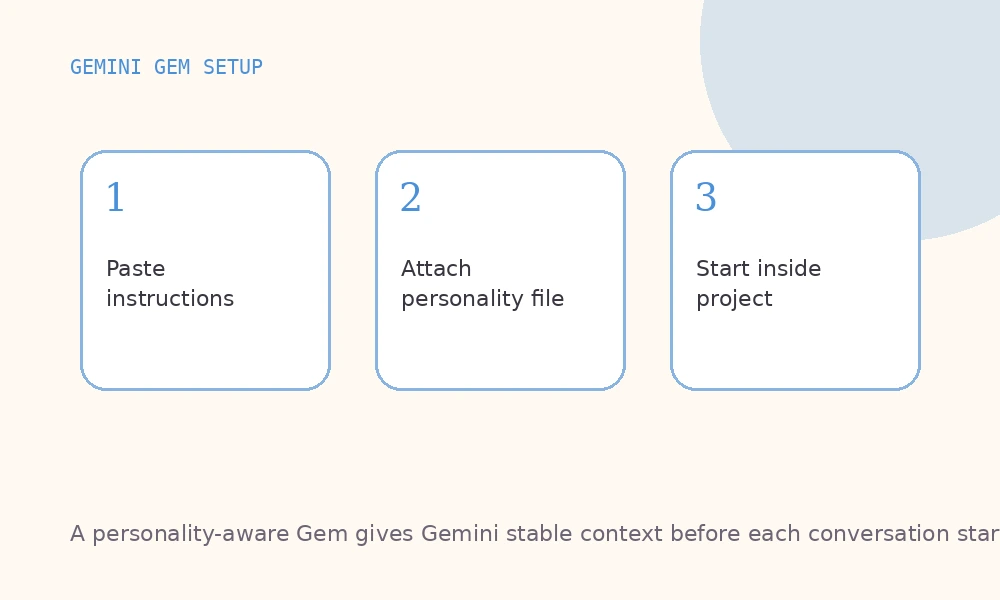
To use them: paste the coach instructions into your Gem's Instructions field, then attach the personality file under the Gem's Knowledge section. Gemini loads both before every reply — no editing required.
No guessing. No aspirational self-description. No filling in a template while second-guessing every answer.
Generic Gem vs. personality-aware Gem: a real example
Here's the same prompt handled two ways.
The prompt: "I keep procrastinating on a project that actually matters to me. What should I do?"
Generic Gem (role-based instructions only):
Procrastination often comes from feeling overwhelmed. Try breaking the project into smaller tasks, setting specific deadlines for each, and removing distractions from your workspace. Consider using the Pomodoro Technique — 25 minutes of focused work followed by a 5-minute break — to build momentum. An accountability partner can also help you stay on track.
Technically correct. Applicable to anyone. Useful to no one in particular.
Personality-aware Gem (coach package loaded — high openness, low conscientiousness, anxiety-driven avoidance pattern, preference for autonomy):
The combination of high openness and lower conscientiousness means you're probably not procrastinating because you're lazy — you're procrastinating because the project has grown abstract enough that your brain can't find a clear entry point, and starting feels higher-stakes than it is. Discipline-based fixes (Pomodoro, accountability partners) tend to mask this without solving it.
What tends to work: spend 10 minutes right now writing a terrible first draft of whatever the next tangible output should be. Don't plan it — just produce something bad that exists. The anxiety that's blocking you is about not-starting, not about quality. Get something on the page and that anxiety drops significantly. Then you'll know what you're actually dealing with.
Also worth asking: are you avoiding this because the project matters, and that makes it feel high-stakes? Or has something about it changed that's making it feel less worth finishing? Those are different problems.
Same question. One answer is a list of things to try. The other is a conversation with someone who knows how you work.
When to use Gems vs. ChatGPT Projects vs. Claude Projects
These three features are doing similar jobs but behave differently enough that it's worth knowing which to reach for.
ChatGPT Projects (OpenAI) are the most file-aware — you can attach documents and have the AI reference them across conversations. Best for ongoing work with specific reference material, like a project with a brief, specs, or running notes it should always know about.
Claude Projects (Anthropic) tend to produce the most nuanced, personality-adapted output once you load in your context — Claude is particularly good at adjusting tone and reasoning style based on how you've described yourself. If the quality of thinking in the response matters more than integration with other tools, Claude Projects often win.
Gemini Gems are the strongest choice if you're deep in the Google ecosystem — Gmail, Docs, Drive, Calendar. The workspace integrations mean a personality-aware Gem can give you advice that's grounded in your actual emails, documents, and schedule, not just abstract context. For professional users already living in Google Workspace, that integration is hard to replicate elsewhere.
The honest answer: all three platforms accept a system prompt and a knowledge file, and InnerForge coach packages render for all three. Pick the platform you already use most and start there. The personality context is the valuable part — not the platform.
Gemini Gems are genuinely useful once you know they exist. Most people skip setup because they don't know what to write in the instructions field. A coach package solves that — complete a free checkpoint, generate the package, and paste the instructions into your Gem with the personality file as a knowledge attachment. Under ten minutes.
Using a different AI? The same coach package renders for ChatGPT Projects and Claude Projects — set up once per platform, use everywhere.
Browse InnerForge's free coaches and pick one. Each coach renders a package built for Gemini Gems, Claude Projects, or ChatGPT Projects.
Keep reading
ChatGPT Custom Instructions Template: Copy-Paste (2026)
Copy-paste ChatGPT custom instructions template. Structure personality data and preferences so ChatGPT stops giving generic, unhelpful advice.
Give Claude a Personality: Custom Instructions Guide (2026)
Set up Claude Projects with custom instructions that make Claude understand you. Personality-based templates for better AI conversations.
Paste Your Personality Into ChatGPT, Claude & Gemini
A step-by-step guide to giving ChatGPT, Claude, or Gemini real context about who you are. Two artifacts, a few minutes of setup, same AI you already pay for.